
Split bills.
Stay friends.
Add what everyone paid and PerHead works out the per-head share — and exactly who pays whom. Works on any phone, straight from the browser.
Everything a group needs.
Nothing it doesn’t.
Built to be so simple that everyone in the group actually uses it.
Split per head
Split equally between everyone or just the people who were there. Rounding is handled to the paisa.
Invite in a tap
Share the group link on WhatsApp or by email. Friends join and see every expense instantly.
Who pays whom
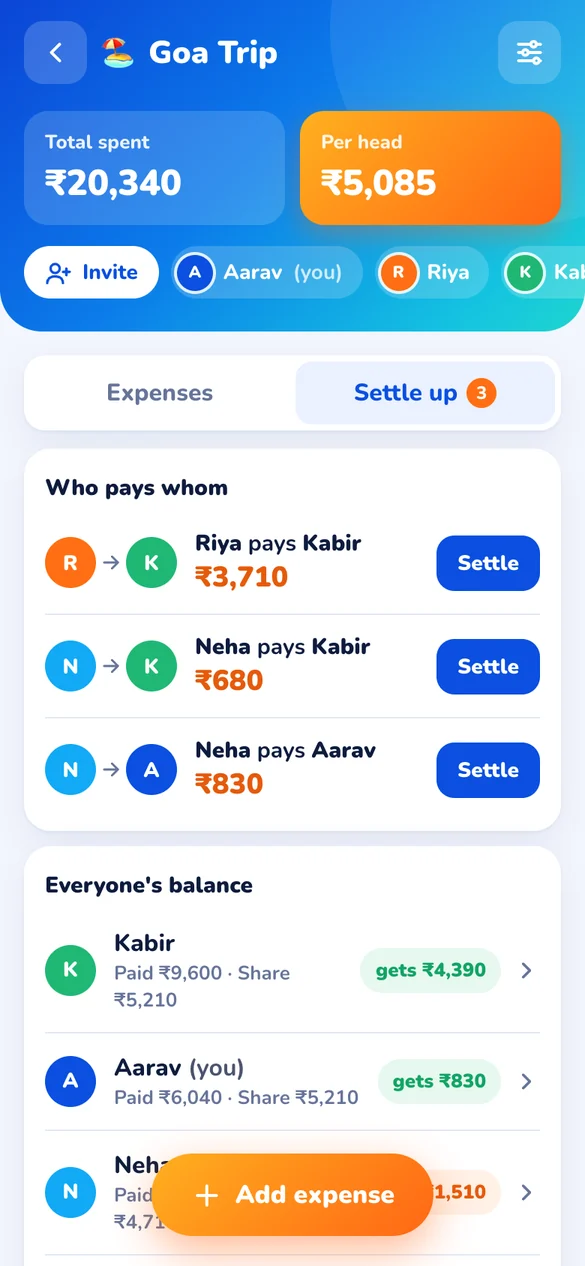
PerHead finds the fewest payments to settle everyone up. Tap “Settle” when it’s paid.
Everyone’s history
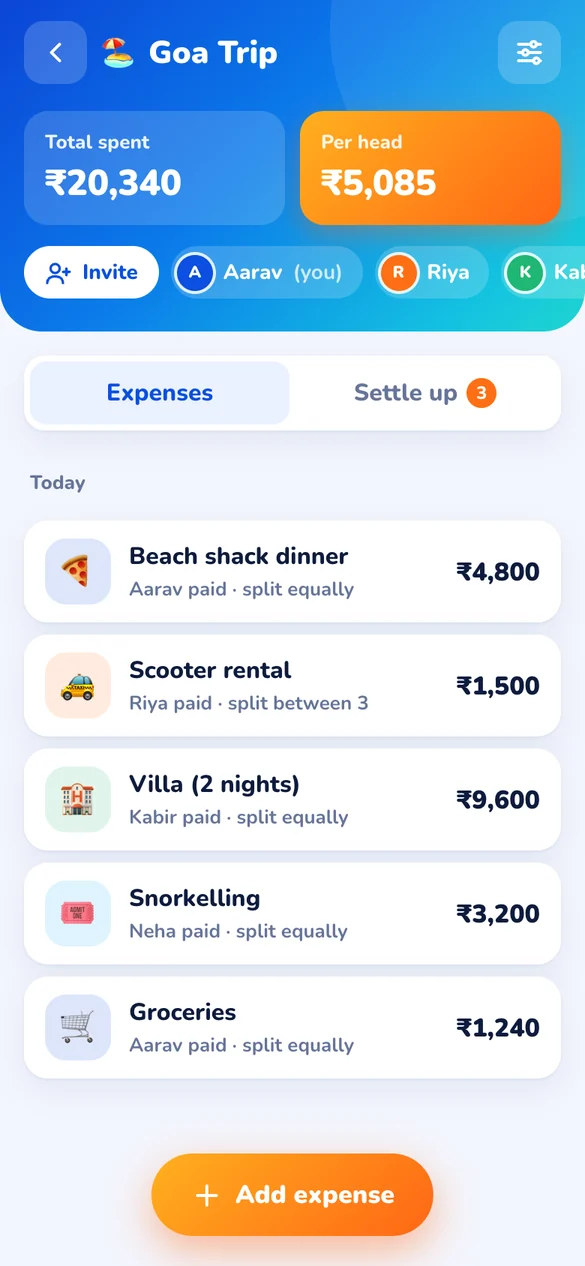
Tap a person to see what they paid, borrowed and lent — every transaction, clearly.
Three steps. Zero maths.
Make a group
Name it, add friends or invite them with a link. Trips, flatmates, office lunches — anything.
Add each bill
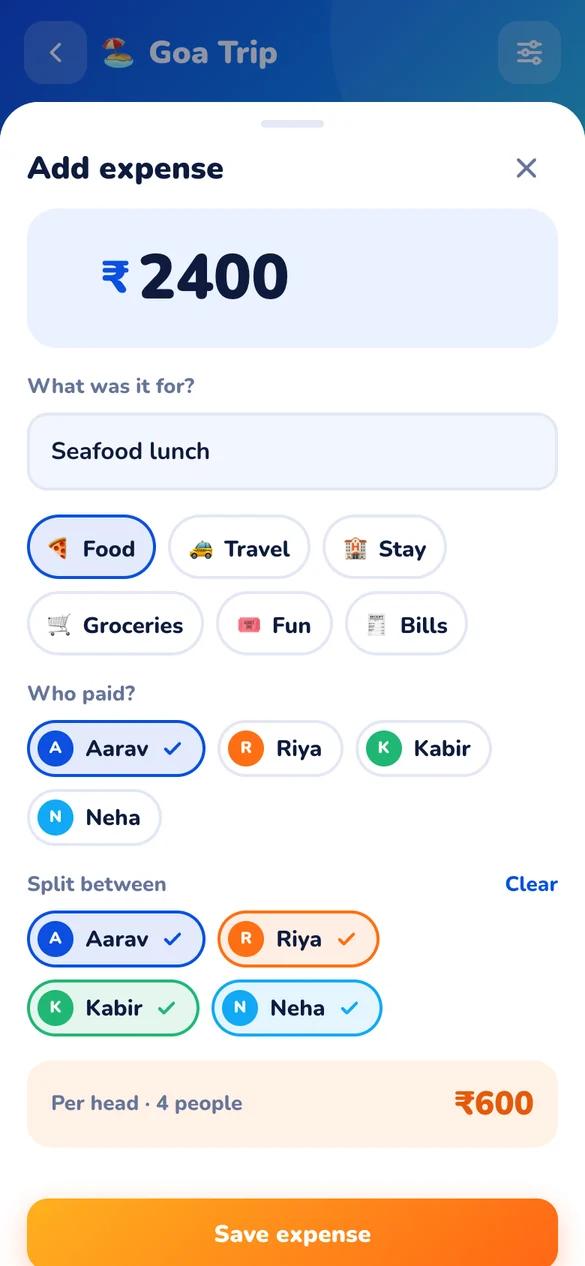
Type the amount and who paid. See the per-head share before you even save.
Settle up
PerHead tells you who pays whom. Mark payments done and everyone is square.
No app store. No download.
PerHead is a web app that installs straight from your browser — with its own icon, full screen, just like any other app.
Android
Chrome, Samsung Internet, Edge- Open perhead.in on your phone
- Tap Install on the PerHead card — or open the menu ⋮ and choose Install app
- Done! PerHead is on your home screen
iPhone & iPad
Safari- Open perhead.in in Safari
- Tap Share ⬆︎ and choose Add to Home Screen
- Tap Add — PerHead is on your Home Screen
Get PerHead on your phone
Scan the code, open PerHead and add it to your home screen. That’s it — no store, no sign-up fees.
 Scan with your phone
Then “Add to Home Screen”